


Nordstrom Rack
4.82.82K Reviews
App Specs
- Version
- 12.7.0.222
- Updated On
- License
- Free
- Downloads
- 1,000,000+
- Developer
- Nordstrom, Inc.
- Categories
- Shopping
- Platform
- Android, iOS
Screenshots
 Analysis by AppCompare
I find the Nordstrom Rack app most useful when I already have a shopping goal but want to see whether a good find turns up before I commit to a trip or a purchase. It is a free shopping app from Nordstrom, Inc., focused on browsing the retailer’s range on a phone. The key trade-off is familiar: the convenience of checking products and deals from anywhere depends on having a working connection, and the value of browsing is greatest when you are open to what is available rather than fixed on one exact item.
Where a connection matters
Browsing, searching, and moving through product pages are the moments when a reliable network makes the biggest difference. I would use the app to compare options while planning a purchase, not assume it can replace a connection once I am away from Wi-Fi or mobile data. If a page takes time to load, that can interrupt the easy, quick-shopping feeling, especially when I am trying to check several alternatives in a short window.
That matters because discount shopping often involves a little discovery. I might open the app looking for a particular kind of clothing and end up weighing a few brands, colors, or price points instead. The app’s filters can help make that exploration manageable, but they do not remove the need to wait for results and product details to appear. I would give myself a moment to check an item carefully rather than make a rushed choice based on a partial screen.
Shopping in the gaps of the day
The phone format suits short sessions: a quick search during a break, a look at a saved item before deciding, or a scan while standing in a store. For that last situation, Scan & Shop has a clear practical purpose: it connects an in-store product with information on the screen, so I can use it to investigate rather than rely on memory or guesswork. It is a more useful mobile habit than wandering through a broad browse without a plan.
For an everyday example, imagine I need shoes for an upcoming event but do not want to buy the first pair I see. I can search by size and other preferences, save a promising option to the Wish List, then return later when I have time to decide. That separates discovery from commitment and makes a small screen less tiring to use. I would still check the product details before purchasing; a tidy filter result is a shortlist, not proof that an item is right for me.
When a session goes wrong
A weak connection can make a shopping session feel less dependable, and I would not plan around having product pages or shopping tools available without internet access. If something does not load, my first move would be to check the connection and try again once it is stable, rather than repeatedly tapping through screens or placing an order while details are still incomplete. That simple pause is especially sensible when comparing sizes or reviewing what is in a cart.
I also prefer to treat a sale alert as a prompt to look, not a reason to buy immediately. An alert can bring me back to an item, but I still want to confirm that the option suits my needs before checking out. That habit limits impulse purchases and is helpful whenever a connection or a busy environment makes it tempting to move too fast.
Worth Reading Before You Choose

EA SPORTS FC Mobile 26 Is a Bigger Football Game, but It Takes Time

Flipboard Shows What News Apps Must Do Beyond the Feed

Switching to Android Auto Means Rethinking Your Driving Routine

Google Calendar Makes a Crowded Week Easier to Manage

Ludo King Makes the Most of the Minutes Between Plans

Baby Panda World Brings Quick Play to Modern Phones, but Its Game Library Feels Busy
Keeping mobile shopping deliberate
Shopping on a phone can use mobile data as pages and images load, so I would browse over Wi-Fi when that is convenient, particularly if I expect to compare many items. If I am out, I would keep a session focused: search for a few specific things, apply filters, and save possible choices rather than endlessly refreshing or reopening the same pages. This is a practical way to keep browsing under control without making assumptions about the app’s data settings.
There is also a useful distinction between shopping with a clear target and browsing for entertainment. The app’s filters and Wish List are better suited to the first approach: they help me narrow a wide selection and keep candidates together. If I only want a comprehensive, side-by-side view across many retailers, a general shopping search may be a better starting point. I would then return here when I want to explore Nordstrom Rack’s own selection.
Ever found yourself browsing online for hours, only to end up with an empty cart because you can't find that perfect deal? Well, let me introduce you to the Nordstrom Rack app—your new shopping buddy that's about to change the game. I recently had a chance to dive deep into this app, and let me tell you, it’s like having a personal shopper right at your fingertips.
First Impressions
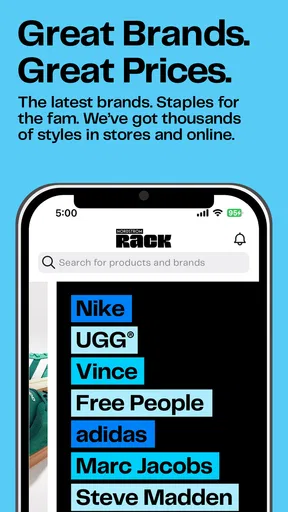
So, I downloaded the app on a lazy Sunday afternoon, expecting the usual run-of-the-mill interface. But hold up, Nordstrom Rack surprised me. The design is sleek, and the navigation? Smooth as butter. You know how some apps just seem clunky and hard to navigate? Not this one. Everything is laid out in a way that just makes sense, even if you're not the most tech-savvy person around.
Features That Stand Out
What really caught my attention were the features. We're talking curated collections, exclusive deals, and real-time updates on sales. The app gives you a personalized shopping experience, which is pretty cool. I mean, who doesn’t love feeling a bit special?
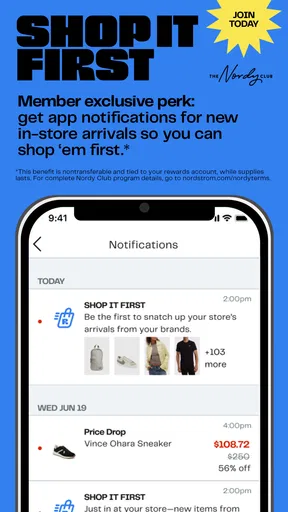
I loved the "Rack Alerts." It's like having a little elf that notifies you when your favorite brands go on sale. Plus, the "Scan & Shop" feature—just scan a product in-store and bam, all the info you need pops up on your screen. It’s almost like having a cheat code for shopping.
User Experience
Let’s talk about usability. The search function is top-notch, and the filters? A lifesaver. You can narrow down your search by size, color, brand, and even price range. It's like the app just gets me and knows I don’t want to scroll through hundreds of items to find that one perfect dress.
And get this, there's a "Wish List" feature. It’s great for those of us who love to daydream about what we’ll buy when the next paycheck hits. The checkout process is straightforward, which is always a relief. No one wants to deal with a complicated payment process when you're just itching to get those new shoes.
What to expect before installing
The app has a 4.8 average from around 16,000 ratings, and it has been installed over a million times. Those figures suggest it has found an audience, but they cannot tell me whether a particular item will be in stock or whether the selection will suit my taste. I would treat them as a reason to consider trying it, not as a guarantee of a perfect shopping experience.
It is free, rated for Everyone, and its current version is 12.1.2.158, with Android 8.0 as the minimum operating system. It was released in 2015, and the app is still a straightforward option for someone who wants Nordstrom Rack shopping on a phone. The rating applies to the app as a whole; the practical question for me is whether its assortment and browsing style fit the way I shop.
Who gets the most out of it
I would recommend it to people who enjoy looking for branded fashion at lower prices and who are comfortable with a changing assortment. It is especially handy if you tend to know your size and have a general idea of what you need, since the search and filters can turn a broad catalogue into a more manageable list. It also makes sense for someone who visits a store and wants to use Scan & Shop to look up an item rather than make a decision on the spot.
On the other hand, I would skip it as my main shopping tool if I need one exact model, a complete range of sizes, or a guaranteed match in a particular color. A discount retailer’s appeal is partly the possibility of finding an unexpected option; that same variety can make a specific search frustrating. If my priority were comparing identical products across several retailers, I would start with a general shopping search and use this app as one destination, rather than expect it to do the comparison for me.
A smarter way to browse and decide
One useful approach is to decide on a ceiling before opening a sale notification. I can set a rough budget in my head, filter by price, and save anything that looks promising instead of treating every alert as an immediate purchase. The Wish List then works as a decision buffer: I can revisit a product after the initial excitement has passed and judge whether I still want it. That is more helpful than collecting items without a plan.
When I am shopping for a specific occasion, I would search by the broad need first, then narrow by size and color before spending time on individual product pages. If the results are thin, relaxing one preference at a time is more productive than starting over repeatedly. For example, I might keep my size fixed and consider another color, rather than compromise on fit just to find a lower price. The filters make that kind of deliberate trade-off easier to manage.
For in-store browsing, I would use the scan feature as a research step, not as a substitute for examining the item in person. The screen can help me look up information, while fit, feel, and condition are things I still need to judge directly. That distinction is a small but important way to avoid letting a convenient phone interaction make the final decision for me.
Where it sits among shopping options
Compared with a department-store app, Nordstrom Rack is more appealing when the hunt for value is part of the fun; compared with a broad marketplace, it gives me a more focused place to look rather than an assortment drawn from many sellers. The advantage is a clearer destination for Rack shopping. The trade-off is that I would not use it as my only window onto the entire market or assume it will surface every possible alternative.
A physical visit can still be the better choice when I need to judge fit or fabric immediately, and a general search is better when I want to compare competing retailers before choosing. I see the app as a useful middle ground: it lets me browse Nordstrom Rack’s selection from wherever I am, then decide whether an online purchase or a store visit makes more sense. That balance is more realistic than expecting a phone app to settle every shopping question.
Final Thoughts
After spending some quality time with the Nordstrom Rack app, I can confidently say it’s a must-have for any savvy shopper. It's not just about finding great deals; it's about the whole experience. From the moment you open the app to the second you hit "checkout," it’s all about making shopping easy and fun.
If you’re someone who loves fashion and a good deal, this app should definitely have a spot on your home screen. Go on, give it a whirl. Who knows, you might just find your new favorite place to shop. Happy shopping!
My final connectivity verdict
For me, the app works best as a connected companion for focused discovery: search when I have a few minutes, save plausible finds, and return when I can give the details proper attention. Its tools can make Rack browsing easier, but they do not remove the ordinary uncertainties of sale shopping, such as whether a particular item suits me or whether I should choose it over another option. I would use it when flexibility and deal-hunting matter more than certainty.
Nordstrom Rack is developed by Nordstrom, Inc., and its shopping experience will make the most sense to someone who already likes looking through this retailer’s selection. I appreciate the accessible navigation, filtering, alerts, and in-store scan workflow, while keeping my expectations grounded: a stable connection, a little patience, and a willingness to compare options make a better session. If that sounds like your style, it is worth trying; if you want guaranteed availability or an all-retailer comparison in one place, another approach will suit you better.
Pros
- Wide variety of discounted brands.
- User-friendly interface for easy navigation.
- Frequent updates with new deals.
- Secure payment options.
- Loyalty program for extra savings.
Cons
- Occasional app performance issues.
- Limited international shipping options.
- Some items sell out quickly.
- Notifications can be overwhelming.
- Return process may be cumbersome.
FAQs for Nordstrom Rack
What is Nordstrom Rack and how does it differ from the main Nordstrom app?
Nordstrom Rack is an app dedicated to providing users with discounted items from Nordstrom’s off-price retail division. Unlike the main Nordstrom app, which focuses on full-priced luxury goods, Nordstrom Rack offers deals on designer apparel, shoes, and accessories at a fraction of the cost. It's perfect for bargain hunters seeking quality brands without breaking the bank.
How user-friendly is the Nordstrom Rack app for first-time users?
The Nordstrom Rack app is designed with user experience in mind, featuring a clean interface and intuitive navigation. First-time users will find it easy to browse through categories, filter search results, and make purchases. The app also offers personalized recommendations and quick access to order tracking, making it convenient for new users to get started.
Does the Nordstrom Rack app offer any exclusive deals or promotions?
Yes, the Nordstrom Rack app frequently provides users with exclusive deals and promotions that are not available in-store or on the website. These can include app-only discounts, flash sales, and early access to new arrivals. By enabling notifications, users can stay updated on the latest offers and maximize their savings.
What are the payment and delivery options available on the Nordstrom Rack app?
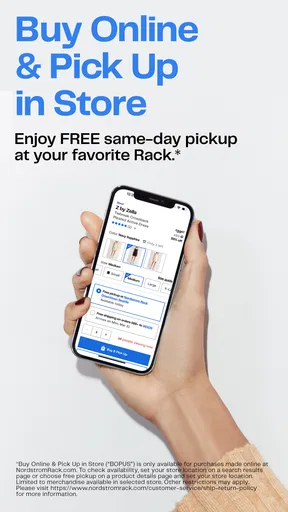
The Nordstrom Rack app supports various payment options, including major credit cards, PayPal, and Nordstrom gift cards. It also offers multiple delivery methods, such as standard, expedited, and two-day shipping. Additionally, users can choose to pick up their orders in-store, providing flexibility and convenience for different shopping preferences.
How does Nordstrom Rack handle returns and customer service through the app?
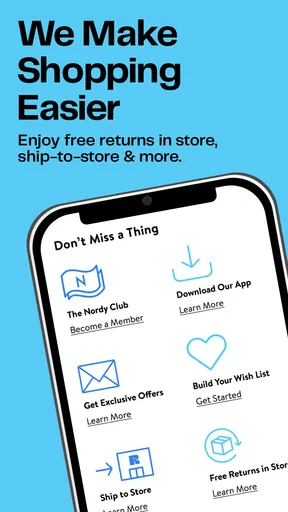
Nordstrom Rack offers a straightforward return process via the app, allowing users to initiate returns directly from their order history. The app provides detailed instructions and allows users to track their return status. Customer service is easily accessible through the app, with options to chat with representatives or find answers to common questions in the help section.


